Azure Front Door WAF: RemoteAddr is not the real IP
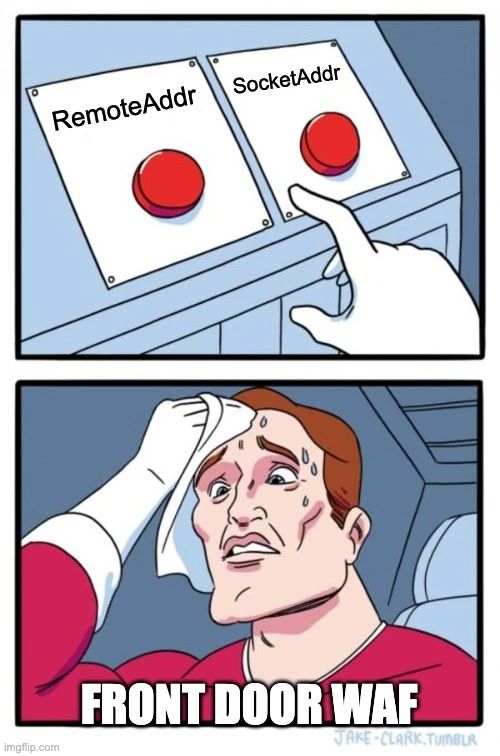
AFD defaults to forgeable RemoteAddr. Application Gateway names the same idea differently. Custom Allow rules can skip the rest of your WAF.
Yet another Microsoft "feature" that's right here to trip us up.
Azure Front Door (AFD) WAF and Application Gateway (AGW) WAF both let you allow or block by remote IP. They do not work the same way. I'm ready to bet many WAFs out there are misconfigured.
TrustedSec documented the Front Door bypass clearly. The short version: if you match on a forgeable client IP header, your "IP allow list" is a suggestion.
Two variables, one trap
Microsoft's docs describe:
- RemoteAddr - the original client IP, usually taken from
X-Forwarded-For - SocketAddr - the source IP the WAF actually sees on the TCP connection. If the user is behind a proxy, that is often the proxy
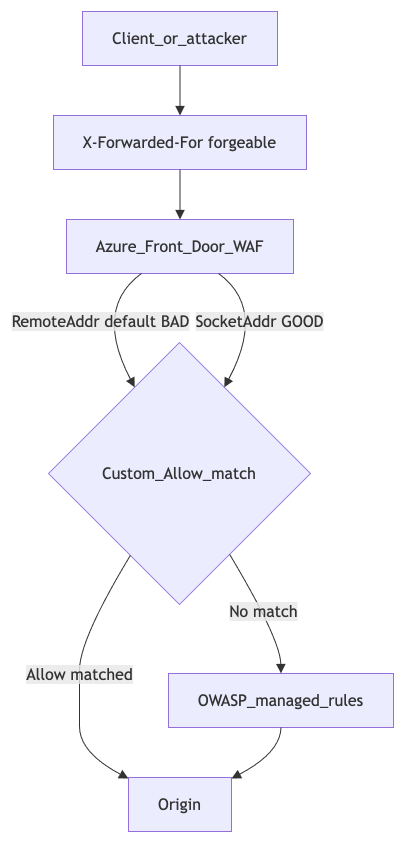
X-Forwarded-For can be forged. Anyone allowing or blocking on a client-supplied Forwarded-For value is at risk of bypass.
So far, so good: don't use the forgeable setting. Yes, but...
Gotcha 1 - Front Door defaults to the weak one
The default choice in Front Door is RemoteAddr.
Lesson: use SocketAddr in Front Door. That is the "real" IP for allow/block decisions.
Gotcha 2 - Application Gateway uses the same name differently
On Application Gateway you only get RemoteAddr - and there, RemoteAddr corresponds to what Front Door calls SocketAddr.
Microsoft is inconsistent. You have to RTFM per product.
Lesson: use RemoteAddr in Application Gateway. That is the "real" IP there.
Gotcha 3 - a matched custom Allow skips everything after it
When a custom rule matches in Microsoft's WAF, no other WAF rules are checked. No OWASP managed rules. Nothing after that match.
Example:
- If RemoteAddr = "the CEO's home IP", allow
- If request is malicious, block
An attacker who can forge Forwarded-For to look like the CEO's IP gets straight in. Rule 2 never runs. Neither do the managed rules.
Custom rules run first. Then Microsoft/OWASP managed rules. An early Allow short-circuits the rest.
Lesson: use Allow and Redirect in custom rules carefully. Know that everything after a match is bypassed.
TrustedSec tried to report this to MSRC. Microsoft declined to address it, stating the behaviour is intentional. You have been warned.
Who needs to review custom rules right now?
If you run AFD or AGW with IP allow lists, open the portal today and check which variable you matched on. Then check whether any custom Allow can skip your managed rule set.
This is config security, not the outage/SLA story. Same product family, different failure mode: looking secure while being bypassable.
Find this on LinkedIn and give it a thumbs up: Azure Front Door WAF: RemoteAddr is not the real IP