MFA on shared accounts
Adding MFA to shared accounts is possible and recommended for most threat profiles.
Adding MFA on shared accounts
Some people might be surprised that using MFA (multifactor authentication) on shared accounts is possible. And that, yes, MFA should be used for shared accounts just like it should be used for regular accounts.
Many services allow you to add several second factors. The first option is to use this and add a second factor per individual, for example, a separate hardware token or passkey per person. Problem solved. This is a viable option, as it allows you (at least in some cases and with some work) to identify who logged in based on the second factor used.
👉 There is hope!!
All hope is not lost for services not offering you that option. TOTP-based authentications (typically those that ask you for a six-digit PIN) can also be used. The secret (or the QR code) can be passed on to multiple users. Save the secret safely (in a password manager, for example) and give it to the new staff who need it. Or print the QR code somewhere handy (after considering your threat model).
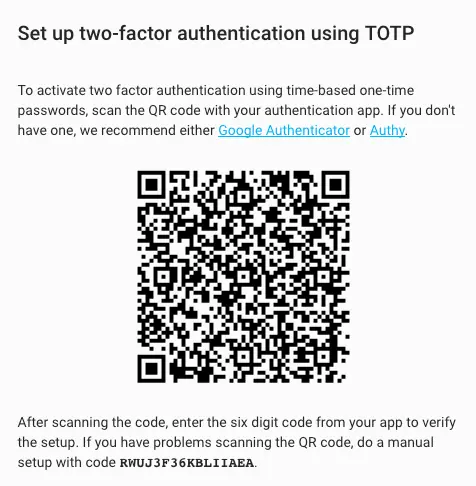
Setting up two-factor authentication using TOTP
⚠️ These approaches might not be wise depending on your threat profile. If you are concerned about insider threats, sharing credentials (with MFA or not) makes it easier for an insider to hide behind an "anonymous" shared account. It also adds work when someone leaves the team/company because you need to rotate the password/MFA (you're doing this, right?!). Using named accounts will almost always be superior from a security perspective.
Related
- Enable MFA Everywhere for a practical guide to enabling MFA across your accounts
- Does Password Complexity Matter? for why MFA matters more than password complexity for online services